Lookabo Google Slide Template: Streamline Your Presentations
Imagine this: you’ve just landed a meeting with a potential client, a pitch with investors, or a keynote slot at a local conference. The content is solid, the data is ready, but you’re staring at a blank Google Slides file, dreading the hours it will take to make it look professional. For designers, entrepreneurs, and marketers, presentation design is often a time-consuming bottleneck. The Lookabo Google Slide Template is built to solve that exact problem, offering a robust, visually cohesive toolkit that lets you focus on your message rather than pixel-pushing.
A Foundation for Visual Consistency and Speed
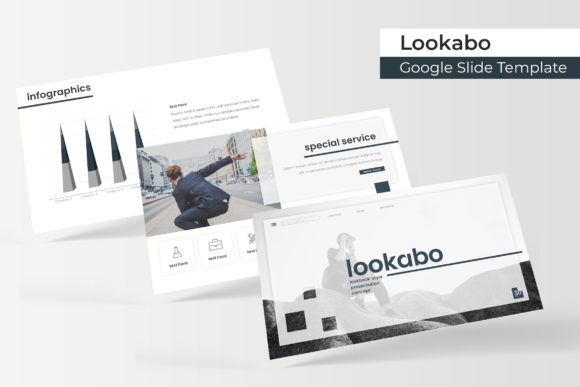
At its core, the Lookabo template is a comprehensive design system for presentations. It’s not just a single set of slides; it’s a library of 150+ total slides organized into five distinct, premade color themes. Each of the five color variations provides 30 meticulously crafted slides, ensuring you have a wide array of layouts—from section breaks and portfolio showcases to data-driven infographics and gallery pages—all within a unified visual language. This structure is a game-changer for maintaining brand recognition across multiple presentations, departments, or client projects.
The true efficiency lies in its foundation on Master Slides. Every element, from title placeholders to icon sets, is built on these masters, which means a single edit to the master slide cascades through your entire deck. Need to change a brand color or swap a font? Do it once in the master, and your entire presentation updates instantly. This system, combined with pixel-perfect illustrations and resizable and editable graphics, ensures that every slide you use is crisp, on-brand, and ready for your content.
Practical Applications Beyond the Boardroom
While perfect for quarterly reviews and sales pitches, the utility of a premium presentation template like Lookabo extends far into your broader creative and marketing workflow. Think of it as a multi-purpose design asset.
- Brand Identity & Marketing Collateral: Use the cohesive slide layouts to create consistent brand guidelines, social media content calendars, or campaign briefs. The handcrafted infographics are ideal for simplifying complex data in blog posts or PDF guides.
- Portfolio and Case Studies: The dedicated gallery and portfolio slides are designed to showcase your work beautifully. Whether you’re a photographer, designer, or consultant, you can drag and drop your images into the picture placeholders to build a compelling narrative of your projects.
- Digital Products and Education: For online course creators, coaches, or bloggers, these slides can be repurposed into workshop materials, webinar decks, or visually engaging lead magnets. The clean, modern typography enhances readability for instructional content.
- Pitch Decks and Proposals: First impressions matter. A polished, professionally structured pitch deck built with Lookabo communicates competence and attention to detail before you even begin speaking.
Choosing Your Style and Ensuring Readability
With five premade color palettes, selecting the right starting point is your first creative decision. Consider the mood of your project. A deep, sophisticated palette might suit a financial or luxury brand proposal, while a brighter, more energetic set could be perfect for a startup pitch or a creative workshop. The template’s design is intentionally versatile, allowing the color theme to set the tone while the layout remains functionally strong.
Readability is non-negotiable in presentations. The Lookabo template likely pairs a clear, sans serif font for body text with a complementary display font for headings—a standard and effective practice in modern typography. Always preview your slides in presenter mode to check text legibility from a distance. The included Readme First file is crucial here; it will specify the exact fonts used and provide free download links, ensuring your presentation renders correctly on any computer, not just your own.
Maximizing Your Investment in Design Assets
To get the most out of a template like this, integrate it into your design process. Don’t just use it for one-off presentations. Build a library of your most-used slide layouts from within the 150+ options. Create a “base” presentation for your brand with your logos, colors, and fonts pre-loaded into the masters, so every new project starts 80% complete.
Remember, the provided photographs in the preview are for illustration. Your power comes from customizing it with your own imagery and content. Use the drag & drop picture placeholders to seamlessly integrate your product shots, team photos, or branded graphics. This transforms the template from a generic set of slides into a true extension of your brand identity.
Finally, always check the licensing for any template or asset you use for commercial work. The included files (5 PPTX Files for Google Slides and 5 for PowerPoint Widescreen) should come with clear terms. For designers and agencies, understanding whether you can use the template for client work, and how many end products you can create, is essential for professional use.
In the end, the Lookabo Google Slide Template is less about the slides themselves and more about the time and cognitive load it saves you. It’s a practical toolkit for anyone who needs to communicate ideas visually and professionally, freeing you up to concentrate on what you do best: creating, strategizing, and connecting with your audience.